 RANREV INFOTECH
 Primary Memory
Primary memory, sometimes referred to as main memory, is a computer's internal memory that holds the data and instructions that the CPU is presently using. Primary memory is essential to the execution of programs and is directly related to the CPU. It is primarily separated into two categories: ROM (Read Only Memory) and RAM (Random Access Memory). Whereas ROM is permanent and contains protocols and instructions, RAM is transient and volatile, meaning that data is lost when the power is switched off. Despite having a smaller storage capacity, primary memory is quicker than secondary memory.
A. RAM (Random Access Memory)
A type of primary computer memory called Random Access Memory (RAM) is used to temporarily store data and instructions that the system is now using. It enables the CPU to swiftly access data in order to complete tasks. Because the stored data is lost when the computer is turned off, RAM is also referred to as volatile memory. The operating system, application software, and active program data are frequently stored in it. Because the CPU can read data from RAM and write data into it while a program is running, RAM is also known as main memory or read-write memory. It is basically divided into two parts:
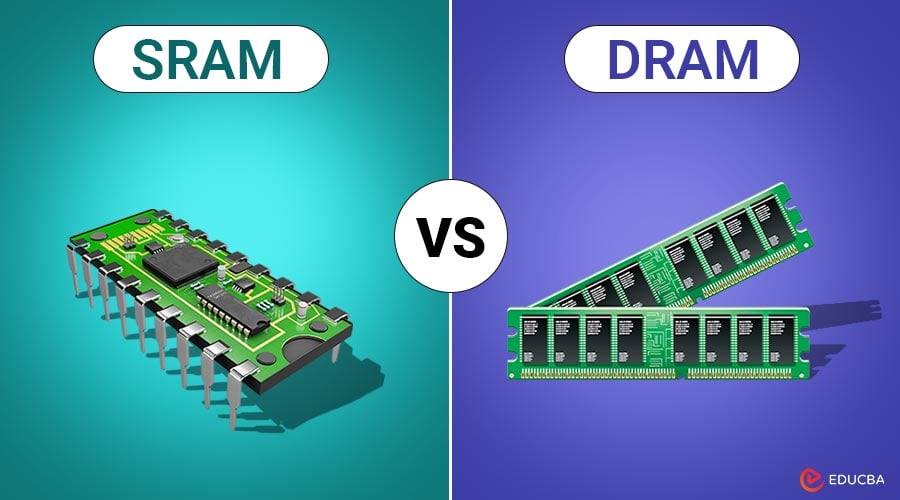
i. SRAM (Static Random Access Memory)
SRAM serves as the CPU's main cache memory due to its incredibly fast access speed. It is more expensive and requires more space than DRAM. Even if the system retains data while the power is on, volatile memory is data that is lost when the system is switched off.
Cache Memory
Cache memory is a small, quick memory that is located inside or close to the CPU. It stores frequently used data and instructions so the processor may quickly access them without having to go to main memory (RAM).

ii. DRAM (Dynamic Random Access Memory)
Data is stored in capacitors in dynamic RAM (DRAM), a volatile primary memory. It is slower than SRAM since it needs to be refreshed frequently to preserve data. DRAM is frequently utilized as main memory in computers since it is more affordable and has a larger capacity. When the power is switched off, data is lost.
B. ROM (Read Only Memory)
Read-only memory (ROM) is permanent, non-volatile storage on a computer's motherboard that houses essential, unchanging firmware (such as the BIOS or UEFI) that starts the system. It stores data without power, is hard to modify, and is usually faster than disk storage but slower than RAM.
i. PROM (Programmable Read-Only Memory)
PROM is a kind of ROM that the user can program just once. Data cannot be changed or removed once it has been programmed.
ii. EPROM (Erasable Programmable Read Only Memory)
It is possible to wipe and reprogram an EPROM. UV light is used to erase the data in EPROM. It can be reprogrammed after being erased.
iii. EEPROM (Electrically Erasable Programmable Read Only Memory)
EEPROM may be electrically erased and reprogrammed without being taken out of the computer. It is more practical and adaptable than EPROM.
FAQs
When the CPU needs data, it first checks the cache memory:
If the data is found in cache, it is called a cache hit.
If the data is not found, it is called a cache miss, and the CPU retrieves data from RAM.
L1 Cache (Level 1)
Smallest and fastest
Located inside the CPU
Directly connected to processor cores
L2 Cache (Level 2)
Larger than L1
Slightly slower than L1
May be inside or outside the CPU
L3 Cache (Level 3)
Larger than L2
Shared among multiple cores
Slower than L1 and L2 but faster than RAM
ROM is integrated into a microchip on the motherboard.